 EzyChat
WhatsApp Business app vs EzyChat Lite: which should your team use?
Updated · 5 min read
Also in: Bahasa Indonesia
Quick answer
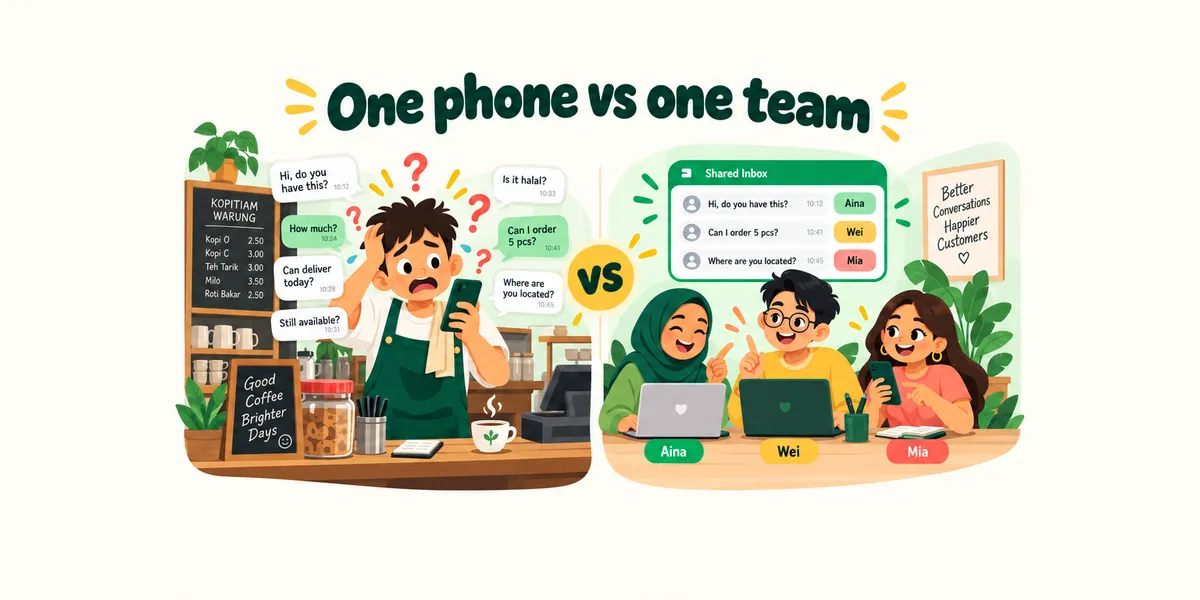
Use the WhatsApp Business app on its own when one or two people answer customers. Add EzyChat Lite, which is also free, when several staff share the number and need their own logins, chat assignment, internal notes or an AI sales agent. The two work together: EzyChat Lite links to the same number as a linked device, and the Business app keeps your catalog, labels and broadcast lists.
At a glance
| WhatsApp Business app | EzyChat Lite | |
|---|---|---|
| Price | Free | Free (AI optional, on your own OpenAI key) |
| Who can reply | The phone + up to 4 linked devices | Your whole team, in a browser |
| Own login per staff member | No | Yes |
| See who replied | No | Yes |
| Assign and reassign chats | No | Yes |
| Internal notes on a chat | No | Yes |
| Quick replies | Yes | Yes |
| Labels | Yes | No |
| Catalog and broadcast lists | Yes | No |
| AI sales agent that hands off to staff | Depends on Meta’s rollout in your country | Yes |
| Works with the computer off | Yes | Phone only |
| Official WhatsApp product | Yes | No |
Price
- WhatsApp Business app
- Free
- EzyChat Lite
- Free (AI optional, on your own OpenAI key)
Who can reply
- WhatsApp Business app
- The phone + up to 4 linked devices
- EzyChat Lite
- Your whole team, in a browser
Own login per staff member
- WhatsApp Business app
- No
- EzyChat Lite
- Yes
See who replied
- WhatsApp Business app
- No
- EzyChat Lite
- Yes
Assign and reassign chats
- WhatsApp Business app
- No
- EzyChat Lite
- Yes
Internal notes on a chat
- WhatsApp Business app
- No
- EzyChat Lite
- Yes
Quick replies
- WhatsApp Business app
- Yes
- EzyChat Lite
- Yes
Labels
- WhatsApp Business app
- Yes
- EzyChat Lite
- No
Catalog and broadcast lists
- WhatsApp Business app
- Yes
- EzyChat Lite
- No
AI sales agent that hands off to staff
- WhatsApp Business app
- Depends on Meta’s rollout in your country
- EzyChat Lite
- Yes
Works with the computer off
- WhatsApp Business app
- Yes
- EzyChat Lite
- Phone only
Official WhatsApp product
- WhatsApp Business app
- Yes
- EzyChat Lite
- No
When the WhatsApp Business app is enough
If one or two people answer customers, the free WhatsApp Business app does the job well. You get a business profile, quick replies, labels, a product catalog, greeting and away messages and broadcast lists, all on your phone. Linking WhatsApp Web lets one or two colleagues help from a computer.
It starts to hurt when more people share the number. Everyone sees every chat, all replies appear as the business, and there is no record of who answered or who is following up. Linked devices are also capped at four besides the phone unless you pay for Meta Verified.
When to add EzyChat Lite
EzyChat Lite is a free, open-source team inbox for Windows and macOS. Add it when you need to know who handles which customer:
- Every staff member signs in with their own account, on a computer or phone browser.
- Whoever replies first owns the chat and their name shows on it; chats can be reassigned.
- Internal notes let the team brief each other inside a chat. Customers never see them.
- An optional AI sales agent answers customers from your business information and hands the chat to a person when needed.
- Chats, contacts and media stay on your own computer.
Setup takes a few minutes: install, create the admin account, link your number with a QR or pairing code, invite staff. The getting started guide shows every step.
Using both together
You don’t have to choose. EzyChat Lite links to your number as one linked device, so the WhatsApp Business app keeps running on your phone. Keep using the app for your catalog, labels and broadcast lists, and let the team handle day-to-day customer chats in EzyChat Lite.
Limits to know about
Before you switch
EzyChat Lite is not an official WhatsApp product: it links your number the way WhatsApp Web does. The computer running it needs to be on for the team inbox to work (messages still reach your phone when it is off, and EzyChat catches up when it is back). One installation links one number. Use it for normal customer conversations; bulk or unsolicited messages break WhatsApp’s terms and can get any number banned.
Need several numbers, CRM integration or a hosted setup? EzyChat Enterprise is built around your workflows.
Frequently asked questions
Can I use EzyChat Lite and the WhatsApp Business app together?
Yes. EzyChat Lite links to your number as one linked device, so the Business app keeps working on your phone with its catalog, labels and broadcast lists.
Is EzyChat Lite an official WhatsApp product?
No. It links your number the same way WhatsApp Web does and is not affiliated with WhatsApp or Meta. Use it for normal customer conversations, not bulk messaging.
How many staff can use EzyChat Lite?
Your whole team. Each person gets their own login to the shared inbox; EzyChat Lite itself uses only one of the number’s linked-device slots.
What happens to messages when the EzyChat Lite computer is off?
Messages still reach WhatsApp on your phone. When the computer is back online, EzyChat Lite reconnects and catches up on the messages it missed.