Skip to content
Free · Open source · Windows & macOS

Your team’s WhatsApp inbox, on your own computer

EzyChat Lite links one WhatsApp number and lets your whole team reply from one shared inbox — with an optional AI sales agent. Your conversations and customer data stay on your machine.

Free · v0.1.30 · 10 Oct 2026 · All downloads

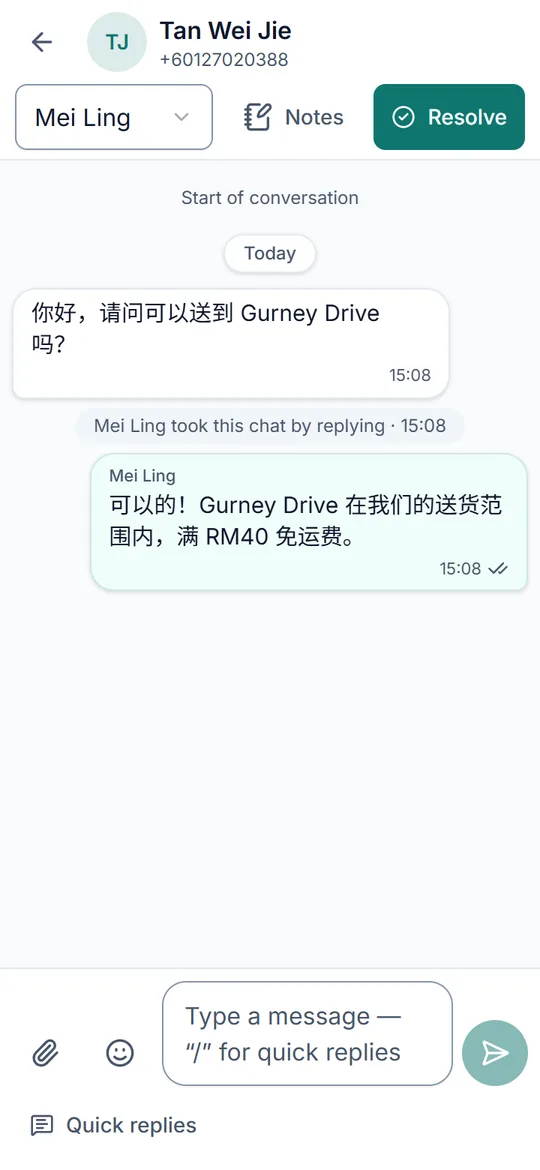
A WhatsApp customer conversation in EzyChat Lite on a phone
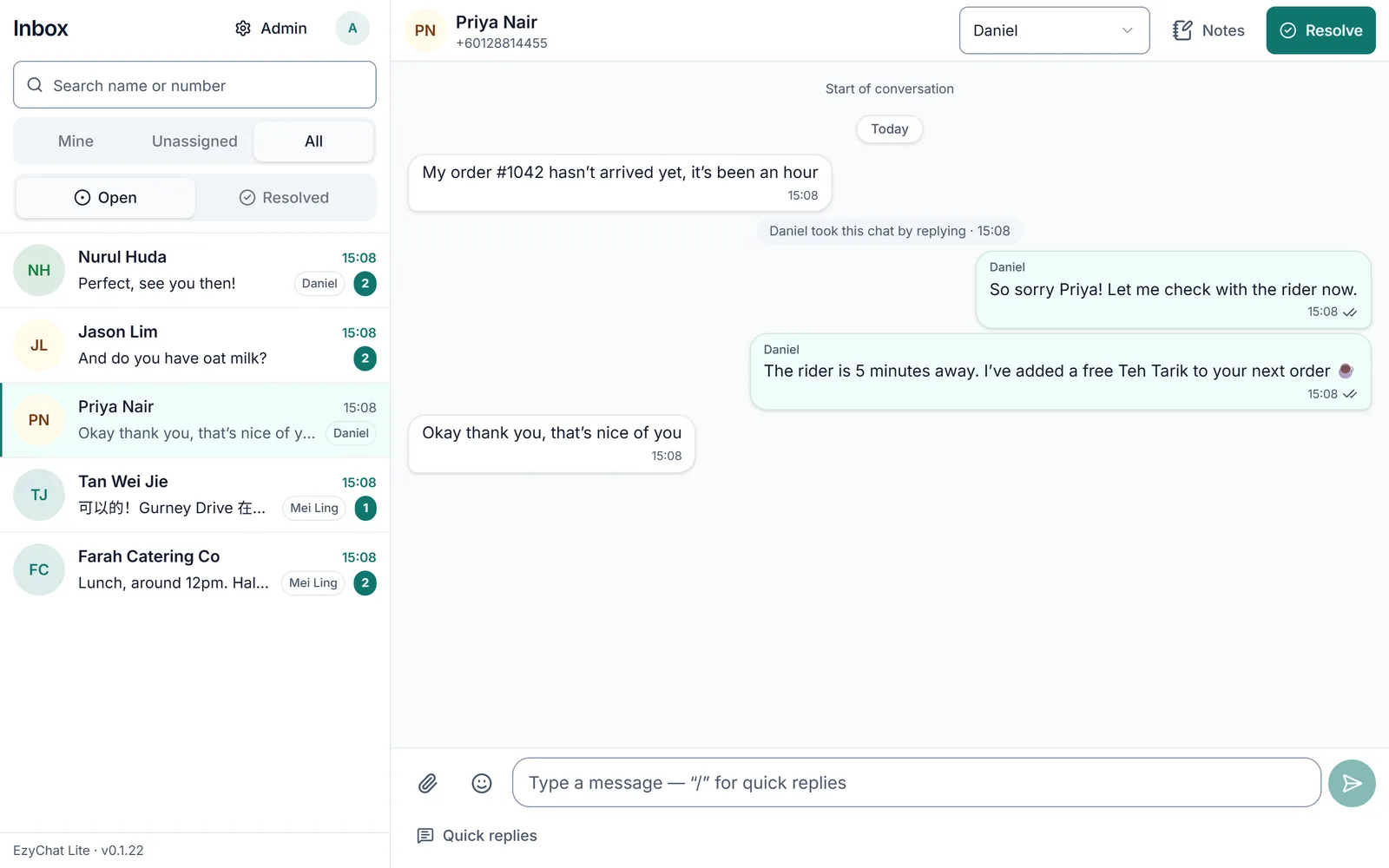
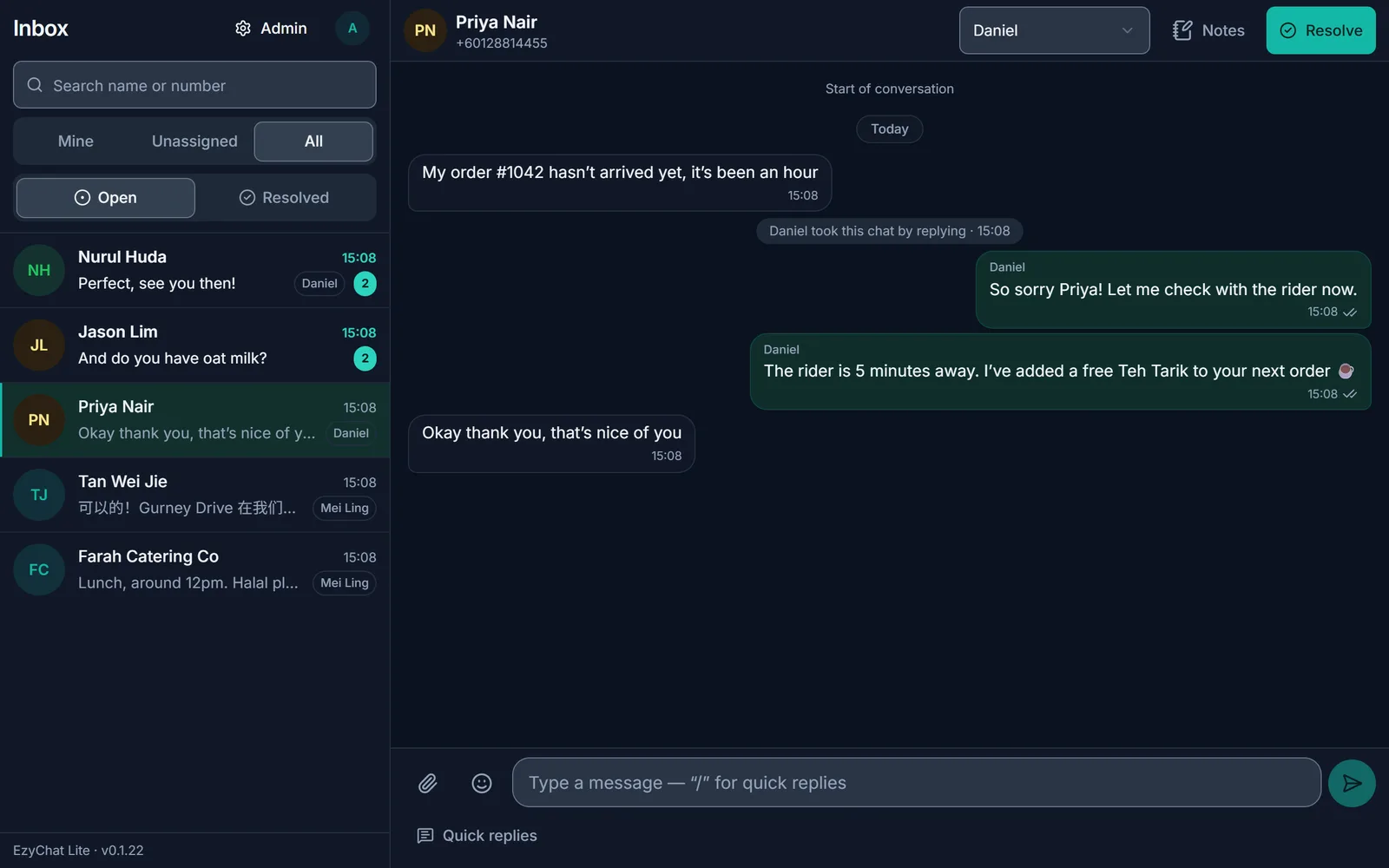
Screenshots use demo data from a fictional shop.

How it works

Your chats flow to your team, not to our cloud

Set up in three steps

  1. Step 1

    Install

    Download EzyChat Lite for your Windows PC or Mac and open it.

  2. Step 2

    Link WhatsApp

    On your phone, open WhatsApp → Linked devices and scan the QR code, like WhatsApp Web.

  3. Step 3

    Add your team

    Create accounts for teammates. They reply from any browser or phone.

Download free

Free · v0.1.30 · 10 Oct 2026 · All downloads

Private by design

Your customer data stays with you

EzyChat Lite runs on your own Windows or Mac computer. There is no EzyChat cloud holding your chats.

  • Runs on your computer

    Conversations, contacts and media are stored on your machine, not on someone else’s server.

  • Open source and auditable

    The full source code is public under the MIT licence, so you or your IT partner can check exactly what it does.

  • Local backups, no lock-in

    Nightly backups are kept on your computer. No subscription, no cloud account to cancel.

Your computer

Everything below stays here

  • Chats and contacts
  • Photos, voice notes and files
  • Voice-to-text (local Whisper)
  • Nightly backups
  • Encrypted keys and tokens
Copy in an EzyChat cloudNone

Team collaboration

One WhatsApp number, the whole team replying

Stop passing one phone around. Everyone works from the same shared inbox and can see who is handling each customer.

  • Shared team inbox

    All chats for your number in one place, with one chat per customer.

  • Clear chat owners

    Whoever replies first owns the chat and their name shows on it, so nobody replies twice. Reassign any time.

  • Internal notes

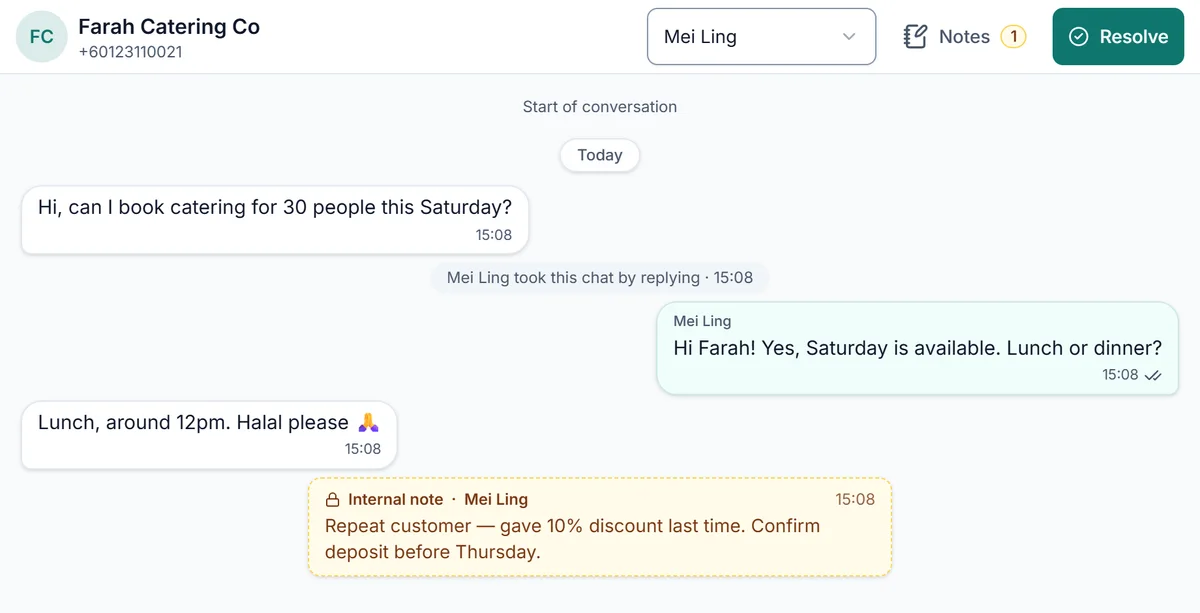
    Leave notes for your team inside a chat. Customers never see them.

A WhatsApp chat in EzyChat Lite with an internal team note that the customer never sees

Optional AI Sales Agent

An AI assistant that knows when to hand over

Turn it on when you are ready. It answers from the business information you give it and passes chats to your team when a person is needed.

  • Answers from your business context

    Add your products, prices and policies. The agent replies using that information, in your customer’s language.

  • You decide when it hands over

    Built-in safety hand-offs plus your own rules: complaints, discounts or large orders go to a person. A teammate who replies takes the chat over.

  • Understands voice notes

    Voice notes are transcribed on your computer with local Whisper, or through OpenAI if you prefer.

Illustrative conversation

And everything else a team needs

  • Quick replies

    Send saved answers by typing “/”.

  • Web and phone app

    Install the inbox on phones, with notifications.

  • Optional remote access

    Through your own Cloudflare tunnel, or office network only.

  • Admin and agent roles

    Admins manage settings; agents reply.

  • Sign-in protections

    Personal accounts, hashed passwords and lockout.

  • Your own AI account

    OpenAI API key or ChatGPT sign-in.

  • Reads customer photos

    Understands product photos and screenshots.

  • Confirms before closing

    The AI checks with the customer first.

  • Encrypted secrets

    Keys and tokens are encrypted on disk.

Who it’s for

Businesses where several people answer customers on one WhatsApp number.

Small Business Owners

Small Business Owners

From local shops to service providers who manage customer conversations directly through WhatsApp for efficient customer support.

E-Commerce Entrepreneurs

E-Commerce Entrepreneurs

Online sellers who take orders and answer product questions on WhatsApp, often with a small team.

Sales & Support Teams

Sales & Support Teams

B2B and service businesses that use WhatsApp as a primary channel for lead generation, client management, and customer support.

Lite or Enterprise

Start with Lite for free. When you need more, we can build it with you.

EzyChat Lite

Free · for small teams on one number

  • Free for everyone, no subscription
  • Desktop app for Windows and macOS
  • One WhatsApp number
  • Data stays on your own computer
  • Shared inbox, assignments, notes, quick replies, roles
  • Optional AI Sales Agent with your own OpenAI account
  • Open source (MIT); community support on GitHub

EzyChat Enterprise

Priced to your requirements

  • Custom features and workflows for your business
  • Integrations such as CRM, Google Sheets or ERP
  • Managed or hosted deployment
  • Multiple numbers and teams
  • Onboarding and training
  • Service levels and priority support, agreed with you

Talk to us about Enterprise

Tell us what you need — custom workflows, integrations, hosting, more numbers or training. We’ll reply with options and a quote.

Frequently asked questions

Is EzyChat Lite really free?

Yes. EzyChat Lite is free for everyone, with no subscription or message limits from us. If you turn on the AI Sales Agent, you pay OpenAI for your own usage.

Where is my data stored?

On the computer where you install EzyChat Lite. Chats, contacts, media and backups are kept there. We do not run a cloud copy of your inbox. If you use the AI agent, the messages it answers are sent to OpenAI under your own account.

What do I need to run it?

A Windows 10/11 (x64) PC or a Mac (Apple Silicon or Intel), and a WhatsApp number to link — by QR code or pairing code, like WhatsApp Web.

Does the computer need to stay on?

Yes. The inbox is served from that computer, so it needs to be on and online for your team to send and receive messages. It can run in the background as a service, so nobody needs to stay signed in.

What happens to messages when the computer is off?

Customers’ messages still reach WhatsApp on your phone. When the computer is back online, EzyChat Lite reconnects and catches up on the messages it missed, so your team can carry on.

Is this an official WhatsApp product?

No. EzyChat Lite links your number as a linked device, the same way WhatsApp Web does, and is not affiliated with WhatsApp or Meta. Use it for normal customer conversations: bulk or unsolicited messages break WhatsApp’s terms and can get a number banned.

Can I connect more than one WhatsApp number?

Lite links one number per installation. If you need several numbers or teams in one place, EzyChat Enterprise can be built around that.

Can my team use it on their phones?

Yes. Team members open the inbox in a browser on the office network, or anywhere through your own Cloudflare tunnel, and can install it on their phone as an app with notifications.

How much does the AI agent cost?

The AI agent is optional. It uses your own OpenAI API key (billed by OpenAI per use) or your ChatGPT sign-in (within your ChatGPT plan). EzyChat does not add a fee. Voice notes can be transcribed locally with Whisper at no API cost.

Which languages are supported?

The app is available in English, Bahasa Melayu and Simplified Chinese.

What does Enterprise add?

Enterprise is for businesses that need more than one number, custom features or workflows, integrations (CRM, Google Sheets, ERP), a managed or hosted setup, onboarding and training, or agreed support levels. Contact us with your requirements for a quote.

Is it open source?

Yes. EzyChat Lite is released under the MIT licence. The source code, releases and issue tracker are on GitHub.
More questions? See the GitHub repository.